Guide To Scrape Food Data Using Python & Google Collab

Guide To Scrape Food Data Using Python & Google Collab

What Is Data Scraping?

Web scraping involves extracting data from a website. The data is then transformed into a user-friendly format. Like, a spreadsheet or an API.

While manual methods are possible, people generally prefer automated tools. It is due to their cost-effectiveness and faster processing capabilities.

Nevertheless, web scraping can be a challenging task. This is due to the diverse structures and layouts of websites. It leads to variations in the functionality and features of web scrapers.

As a result, web scraping can be a complex task. Thus, it requires careful consideration.

What Is Food Delivery Data?

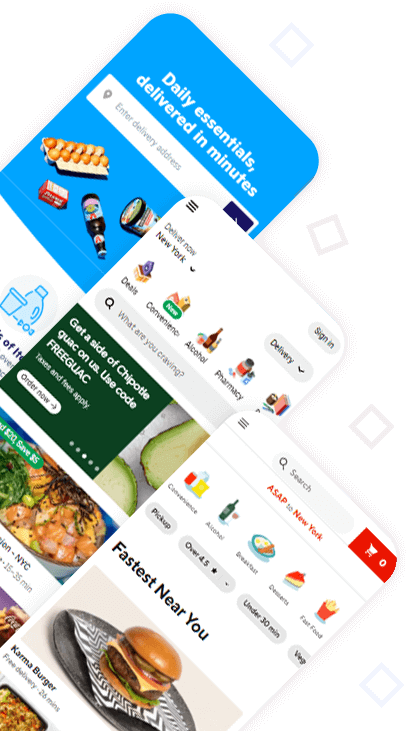
Food delivery platforms & mobile apps contain an extensive array of listings. Countless users use this listing. For restaurant and food delivery entrepreneurs, this food data holds significant importance.

As mentioned before, it provides them with comprehensive insight. Details provided are about their competitors’ activities and their customers’ preferences.

The initial step that firms can take is to track the market through food delivery data. It helps them to achieve their objectives. Food delivery platforms contain valuable data that firm owners can extract and analyze. Some of the key data points they can collect from these platforms include:

  • Restaurant Names and Categories
  • Operating Hours
  • Location
  • Contact Details
  • Menus
  • Promotions, Discounts, and Offers
  • Customer Reviews
  • Prices
  • Ratings
  • Delivery Routes
  • Coverage Areas
  • Food Preparation Time

To gather specific data required, a scraping tool like Foodspark becomes indispensable. It enables users to organize the data in a structured format.

Also, it provides management with a more precise informative overview of collected data.

What is Google Maps Data Scraping?

Google Maps Data Scraping involves extracting data. This data is from an extensive collection.

This data encompasses a wide range of details including:

  • Restaurant names
  • Landmarks
  • points of interest
  • Coordinates
  • reviews
  • ratings, and more.

By utilizing Python & Google Colab, we can automate the process of extracting data through bold techniques like Web Scraping using Google Colab, which simplifies data collection even for non-technical users.

What Are the Benefits of Scraping Food Data?

Examining Customer Sentiment

Customers play a vital role in the success of any business, serving as its lifeblood. Thus, prioritizing their satisfaction and loyalty is of utmost importance for firms. Although restaurant owners cannot read their patrons’ minds, they have a valuable alternative. The solution is food delivery data.

By analyzing reviews and ratings, businesses can gain valuable insights. They can know what the average consumer thinks about their competition. This data allows them to make informed decisions and respond effectively. Furthermore, it provides a means to understand the weaknesses of restaurants and delivery services in the area, empowering owners to improve their offerings and attract new customers.

Enhancing Pricing Strategies

Establishing the right pricing strategy is critical for the success of any firm. Customers might seek better alternatives elsewhere.

Customers may develop this perception if they find a restaurant’s prices to be excessive in comparison to the value it offers. On the other hand, setting low prices can raise doubts about the quality of the menu items. This can lead potential customers to choose another option.

Utilizing food pricing data scraping from delivery apps and platforms strengthens firm owners. It helps them to compare their prices with similar establishments.

Developing Effective Marketing Approaches

Food delivery data provides restaurant owners with valuable insights. This data is about their most valuable customers and their preferences.

This data plays a crucial role in formulating impactful marketing strategies that attract new clients. Additionally, it helps restaurant entrepreneurs craft compelling campaigns to promote their businesses effectively.

Now they can better understand the target audience and customize their messaging. Also, it helps them build stronger connections with their customers.

Creating Attractive Campaigns

Offering discount codes & loyalty rewards is an excellent way to entice new customers. Also, it fosters loyalty among existing ones.

Analyzing the types of promotional codes offered by competitors can inspire firm owners. It helps to devise more attractive & appealing ideas to keep their clients satisfied.

Also, show appreciation for their patronage.

Monitoring The Competition

Image address:

Firms can keep an eye on both established & upcoming restaurants by restaurant scraping apps.

Firms can expect shifts in the local industry landscape by staying up to date. Also, make necessary adjustments to remain competitive.

How To Scrape Food Data with Google Maps Data Scraping Using Python & Web Scraping Using Google Colab

Requirements:

Before digging into the scraping process, certain prerequisites need to be in place:

  • Basic knowledge of Python programming.
  • Familiarity with Google Colab. It is an online coding environment. It provides free access to powerful cloud computing resources.
  • A Google Places API key to access the data. You can get one by creating a Google Cloud Platform project and enabling the Places API.

Step 1: Setting up Google Colab:

Google Colab is an excellent platform for running Python code in the cloud. It provides a free environment with access to various Python libraries. Begin by visiting https://collab.research.google.com/. Then, log in with your Google account.

Step 2: Importing necessary libraries:

In Google Colab, we have access to many Python libraries pre-installed. Import the required libraries for this project:

import requests

from bs4 import BeautifulSoup

import json

Step 3: Understanding the Google Maps URL structure:

To scrape food data, we need to understand the URL structure of Google Maps. It is especially for restaurant searches. When you search for restaurants on Google Maps, the URL looks like this:

https://www.google.com/maps/search/restaurants/@latitude,longitude,zoom/data=!3m1!4b1!4m8!2m7!3m6!1srestaurants!2slatitude,longitude!3szoom!4m2!3m1!1srestaurant!4m2!1m1!4e2

Here, latitude and longitude correspond to the geographic coordinates of the location you want to search, and zoom represents the map’s zoom level.

Step 4: Scraping restaurant data:

Now, let’s define a function to scrape the food data using Google Maps URL:

def scrape_google_maps_data(latitude, longitude, zoom):

url = f"https://www.google.com/maps/search/restaurants/@{latitude},{longitude},{zoom}/data=!3m1!4b1!4m8!2m7!3m6!1srestaurants!2s{latitude},{longitude}!3s{zoom}!4m2!3m1!1srestaurant!4m2!1m1!4e2"

response = requests.get(url)

soup = BeautifulSoup(response.content, 'html.parser')

scripts = soup.find_all('script')

for script in scripts:

if 'window.APP_INITIALIZATION_STATE' in str(script):

data = str(script).split('=', 1)[1]

data = data.rsplit(';', 1)[0]

json_data = json.loads(data)

restaurants_data = json_data[3][6]

for a restaurant in restaurants_data:

name = restaurant[14][84]

location = restaurant[14][86][0]

rating = restaurant[14][47][0]

reviews = restaurant[14][48]

print(f"Name: {name}")

print(f"Location: {location}")

print(f"Rating: {rating}")

print(f"Reviews: {reviews}\n")

Step 5: Running the scraper: 

Now, let's run the scraper function. It is by providing the latitude, longitude, and zoom level for the desired location:

latitude = 37.7749 # Replace with the desired latitude

longitude = -122.4194 # Replace with the desired longitude

zoom = 15 # Adjust the zoom level as needed

scrape_google_maps_data(latitude, longitude, zoom)

Conclusion


Python and Web Scraping using Google Colab streamline the process of efficiently scraping Google Maps data. Extracting relevant food-related data enables firms to gain useful insights about the local food scene, competitors, and customer preferences.

However, it is essential to adhere to Google’s data usage policies and rate limits to avoid any service interruptions.

With this powerful scraping technique at your disposal, you can uncover numerous growth opportunities in the food industry.

Begin your data scraping journey today and unlock the hidden potential of local food data using Google Maps, Python, and web scraping using Google Colab.

Get Started

Scrape Food Data Like a Pro Using Python on Google Colab

Want to collect food data fast? Discover how to scrape menus, prices, and delivery data using Python in Google Colab. Start extracting real-time insights today. Explore Services
cta-bg

Explore Our Latest Insights

top-5-use-cases-of-food-data-scraping-for-restaurant-aggregators- foodspark

Top 5 Use Cases of Food Data Scraping for Restaurant Aggregators

Top Benefits of Liquor Price Data Scraping for Market Intelligence in 2026

Top Benefits of Liquor Price Data Scraping for Market Intelligence in 2025 What is Liquor Price Data Scraping? Liquor price...

Read more

Top Use Cases of Swiggy API for Food Businesses in 2025

Top Use Cases of Swiggy API for Food Businesses in 2025 The food delivery industry continues to evolve rapidly. Food...

Read more